Using Your Bundle Game Keys
After purchasing your blaster, you will receive an email with your game keys. These keys enable you to download the bundle titles for free.
warning
Do not share these keys, as these are not reusable. Game keys are only issued once for every purchase.
Desktop Install
-
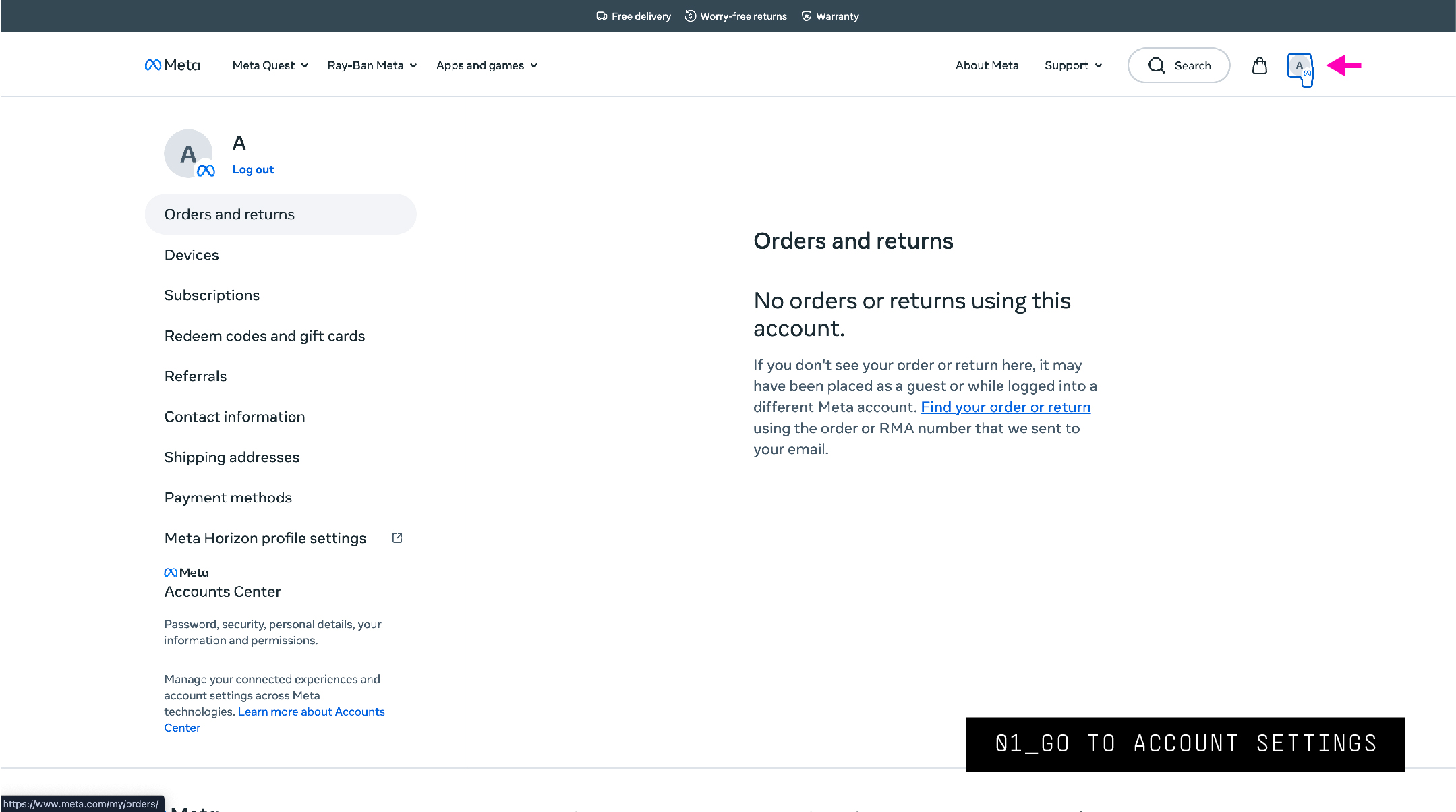
Log into your Meta account and navigate to your account settings.
-
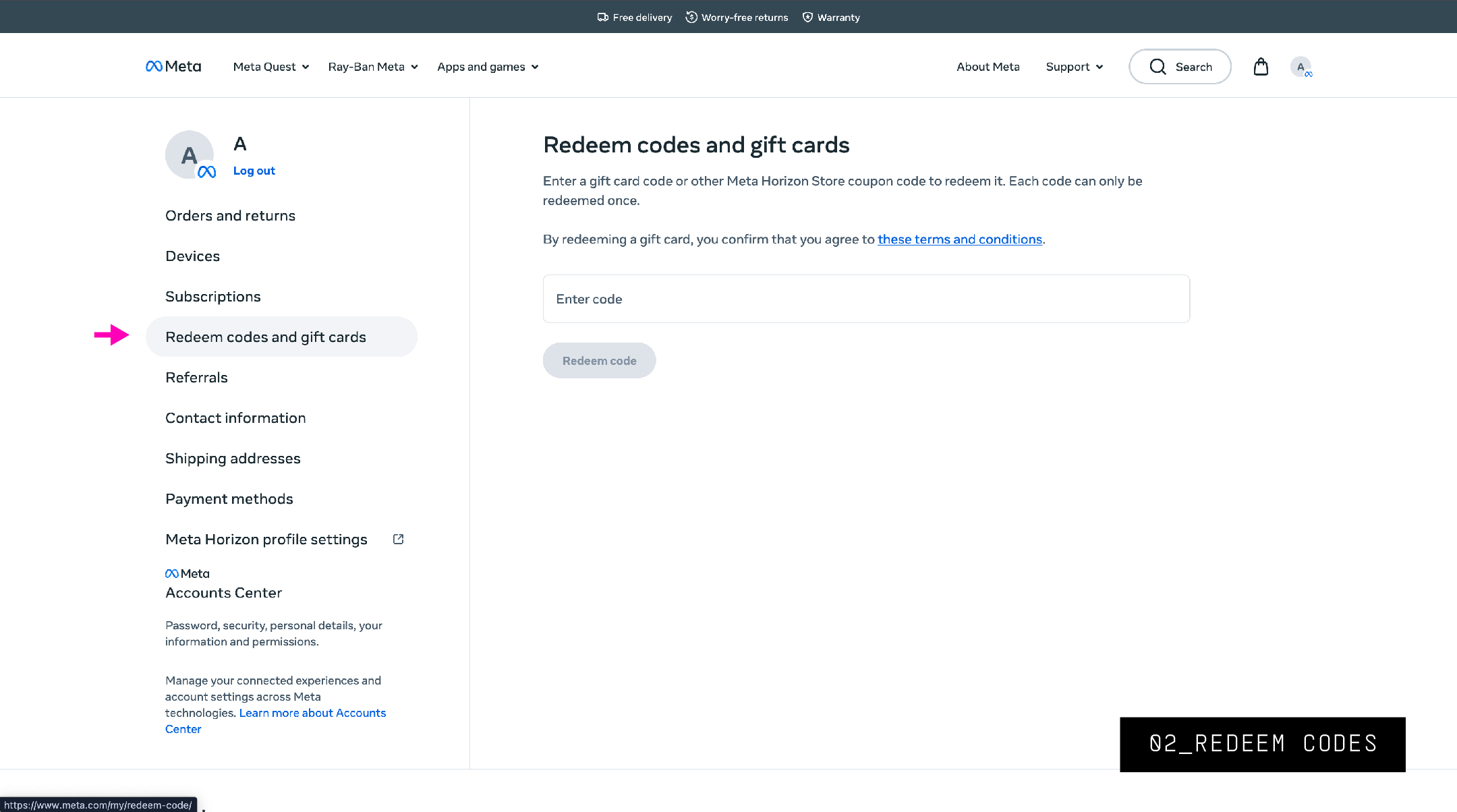
In the left panel, select Redeem codes and gift cards.
-
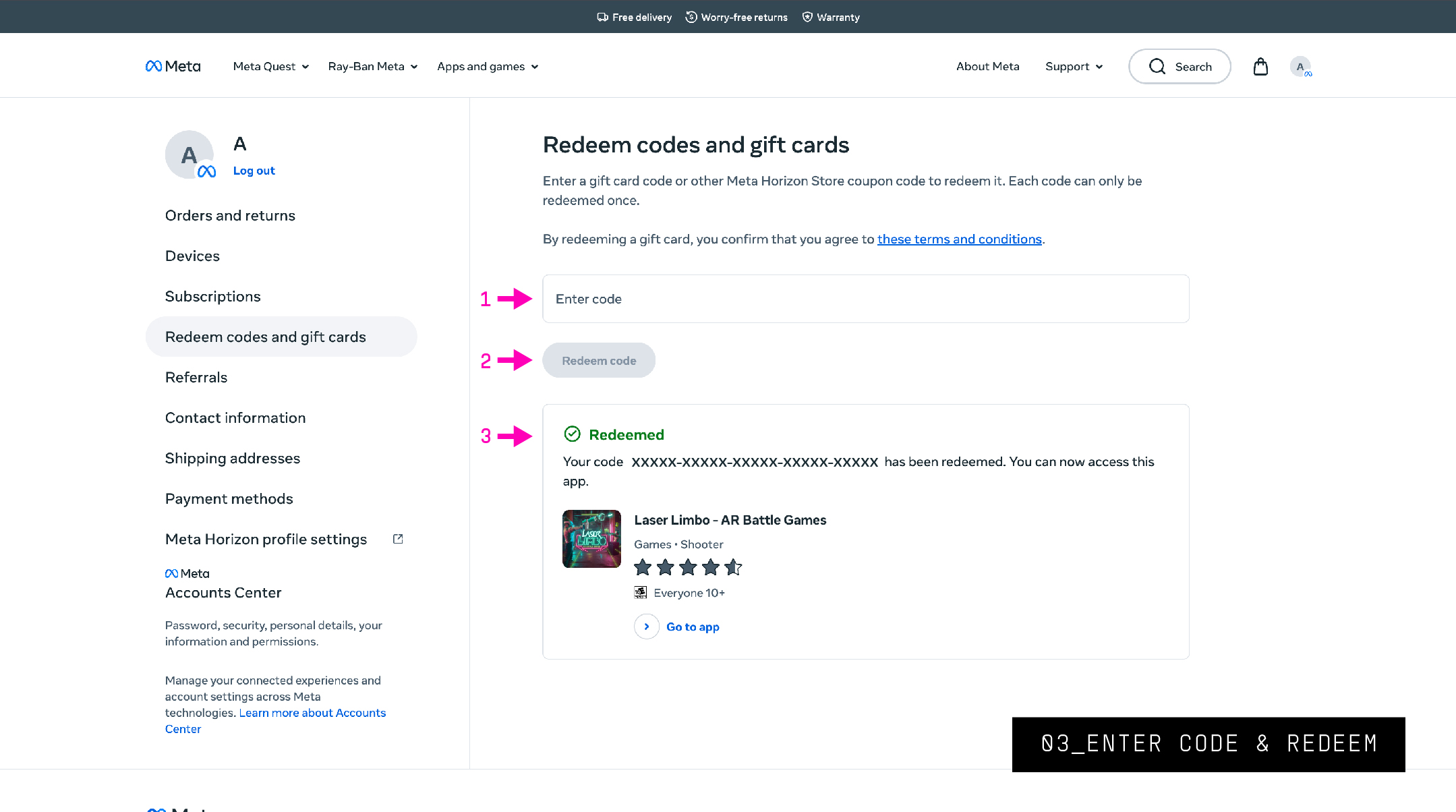
Enter your game key and redeem the code. You will receive a redeemed verification.
-
On the game page, you now have the option to launch. Click Launch.
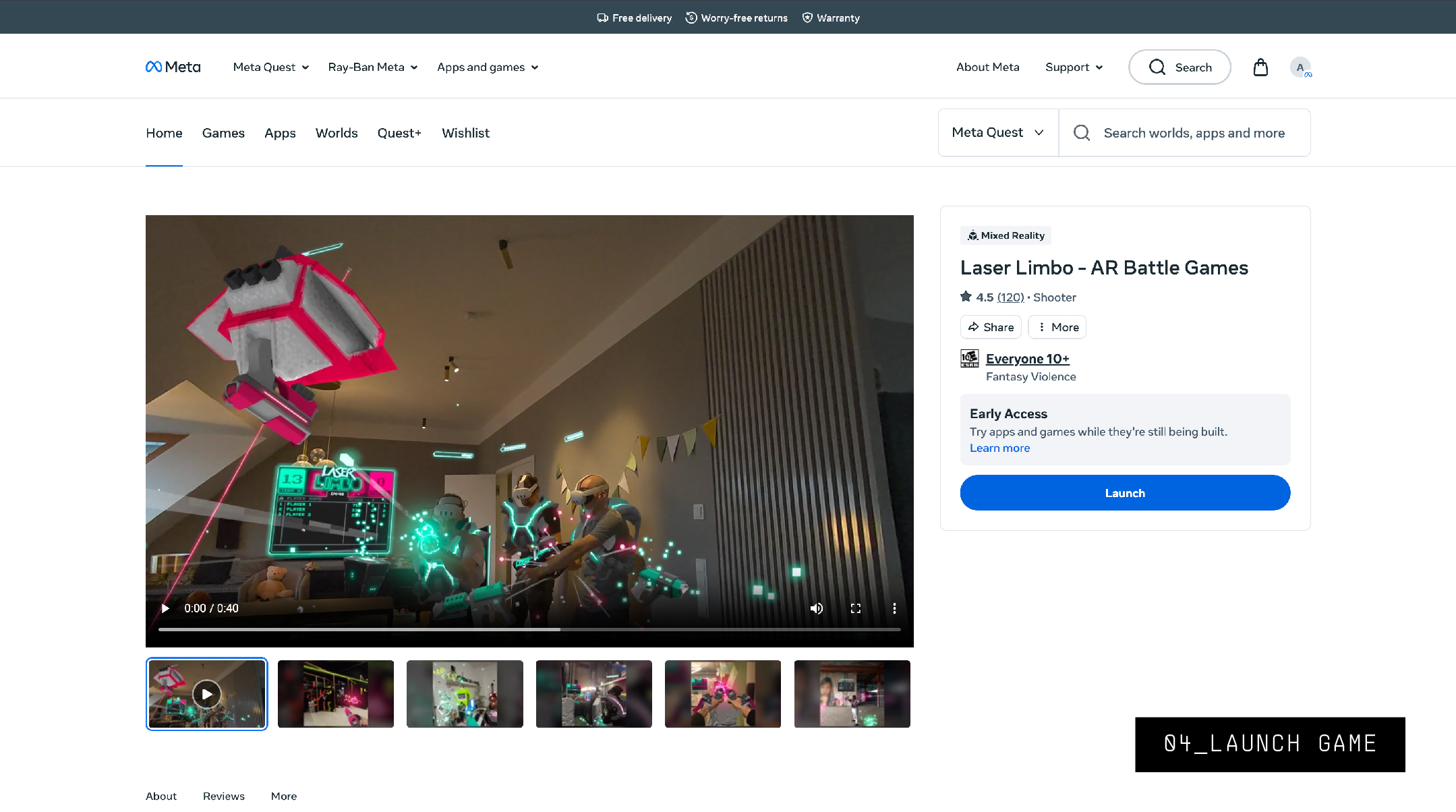
-
Install the game on your Quest headset.
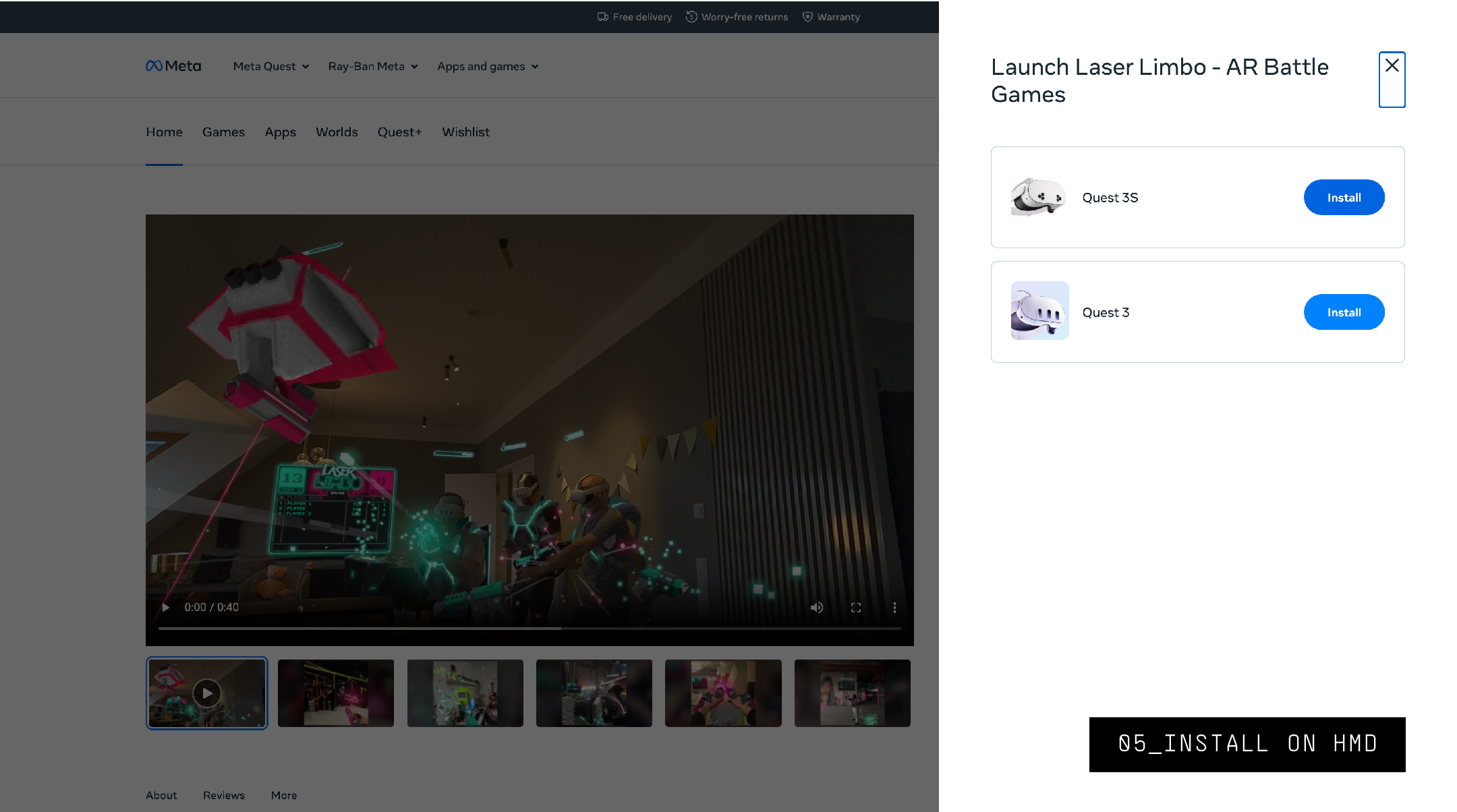
-
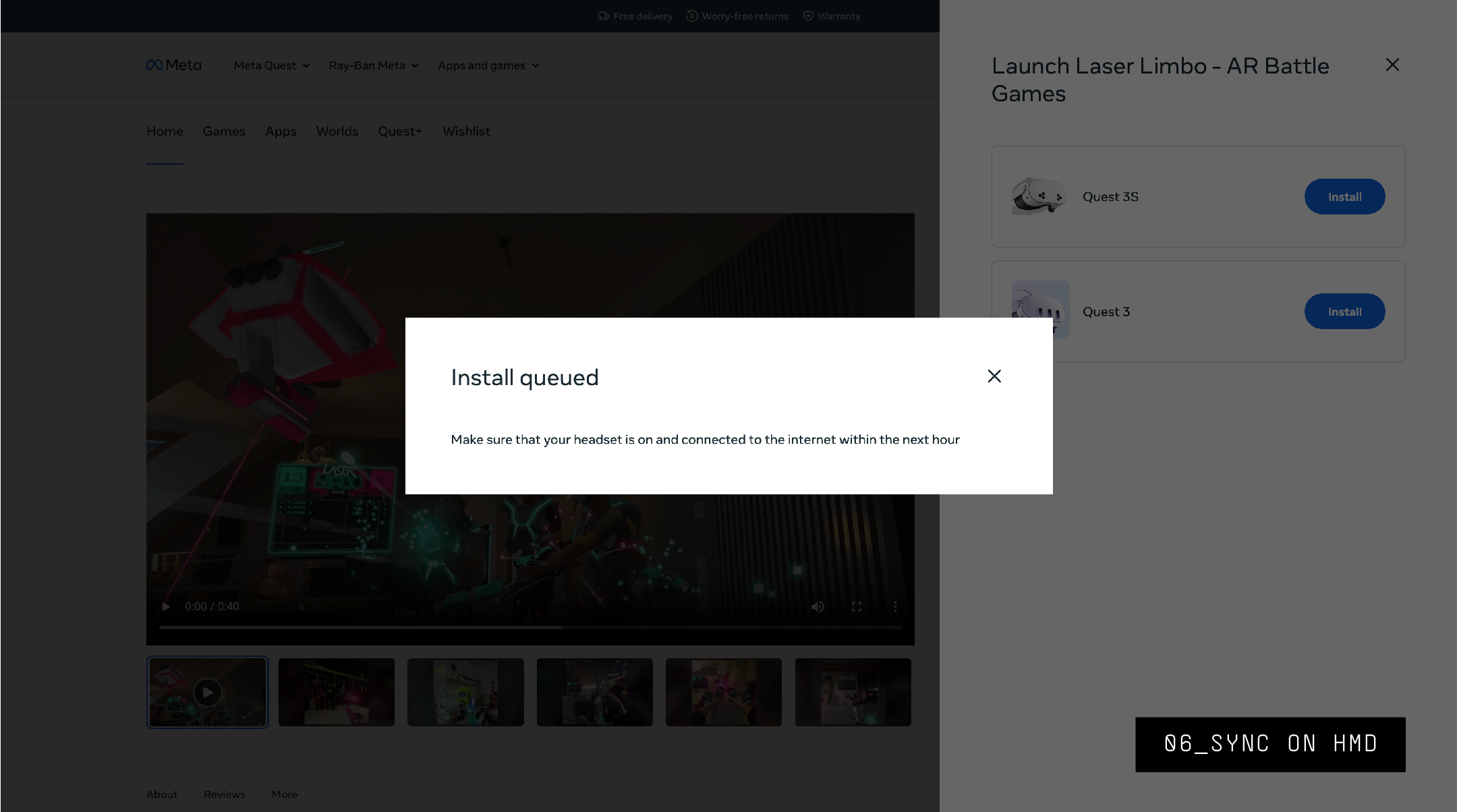
Sync on your headset.
Mobile Install
-
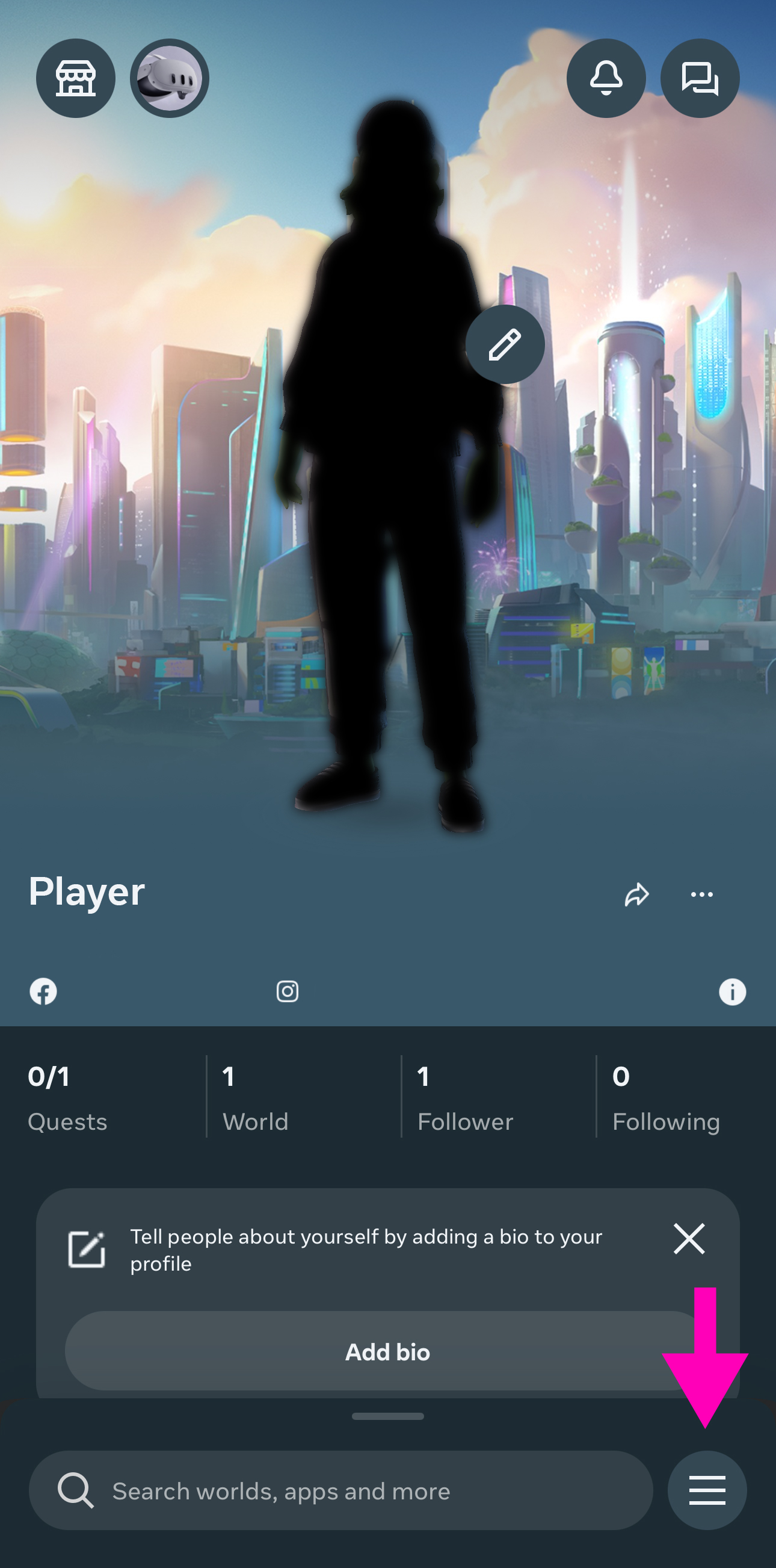
Open your Meta Horizon App and click the menu button in the lower right corner.
-
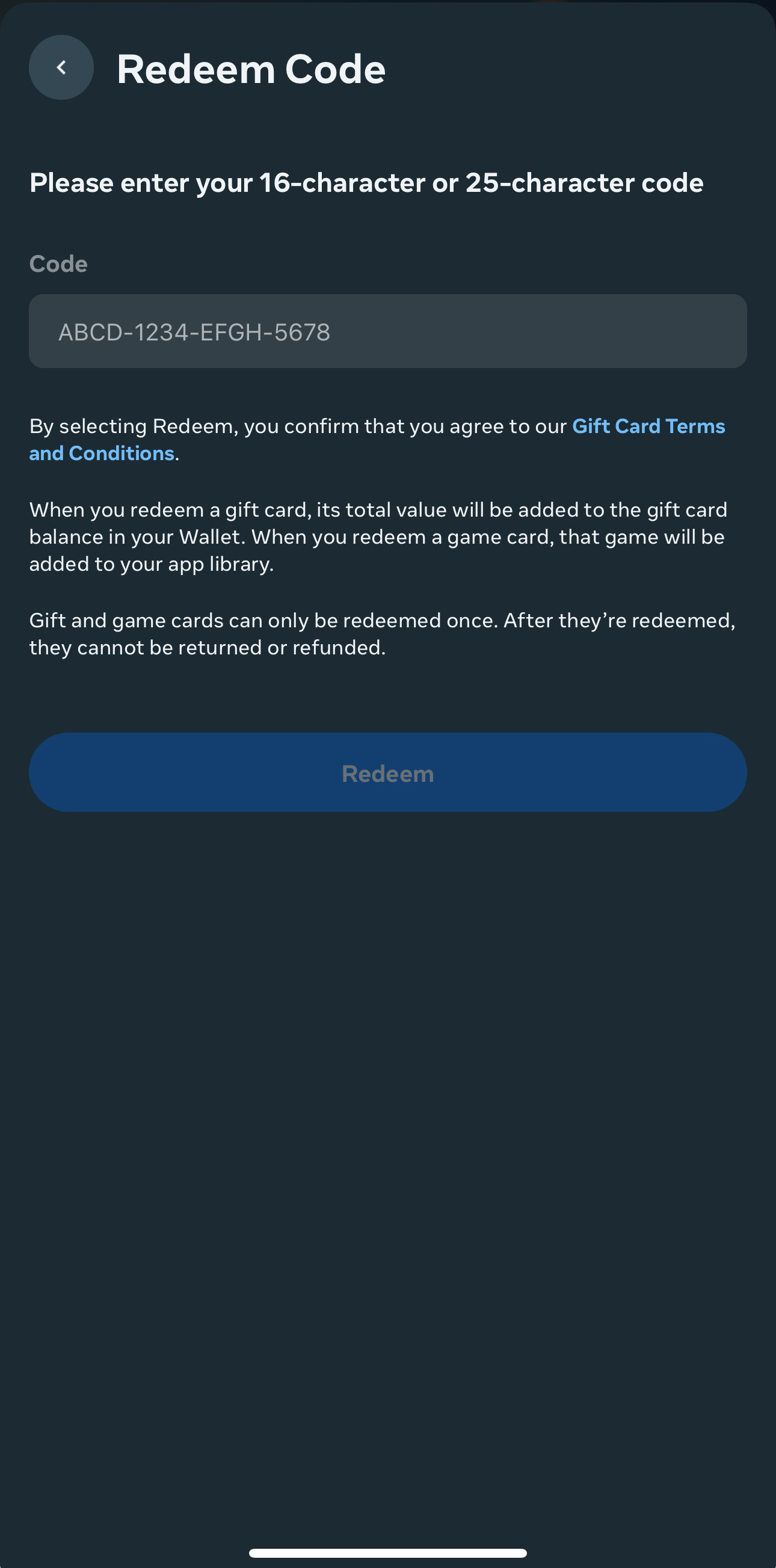
Scroll down and select Redeem Store code.
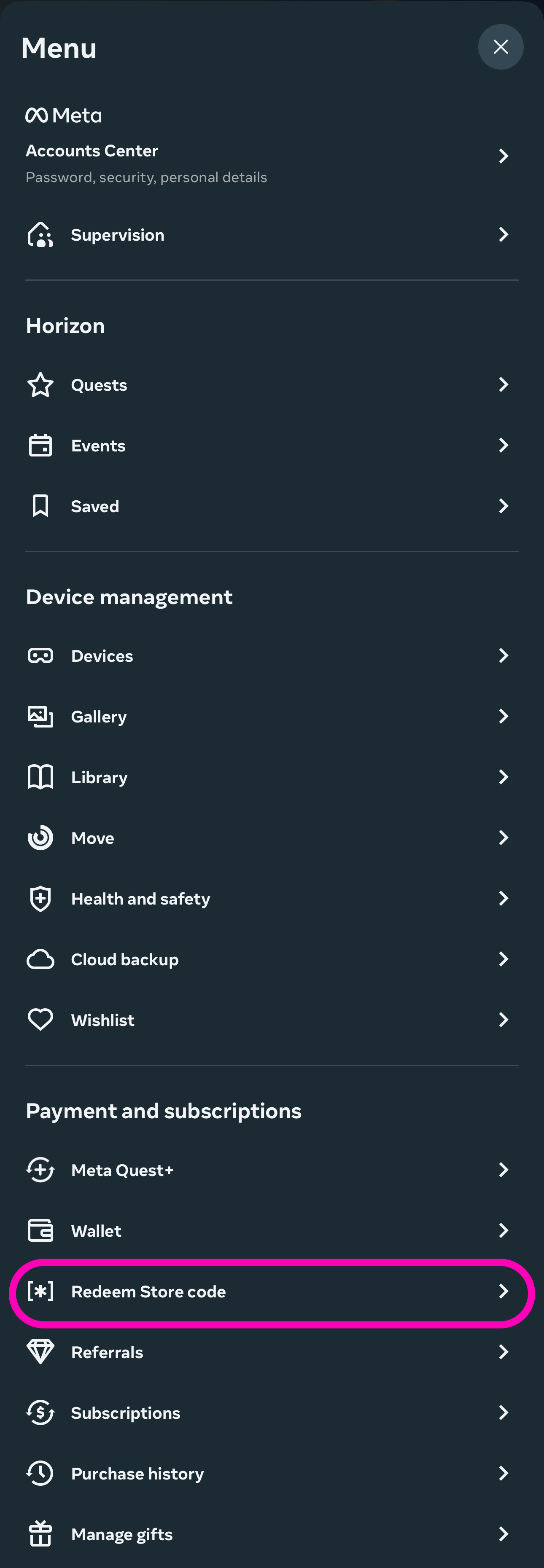
-
Enter the code and redeem it.