Best Usage
Mavrik-Pro Overview & Best Usage
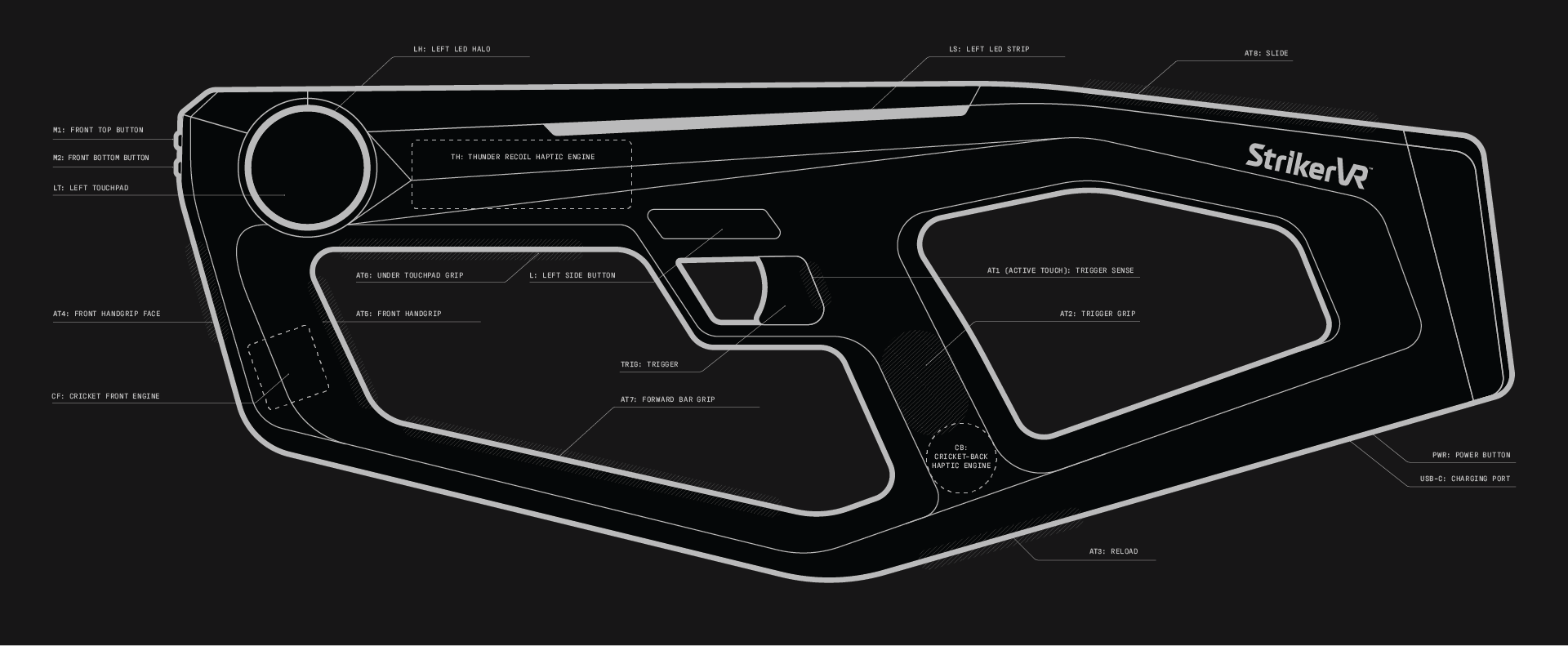
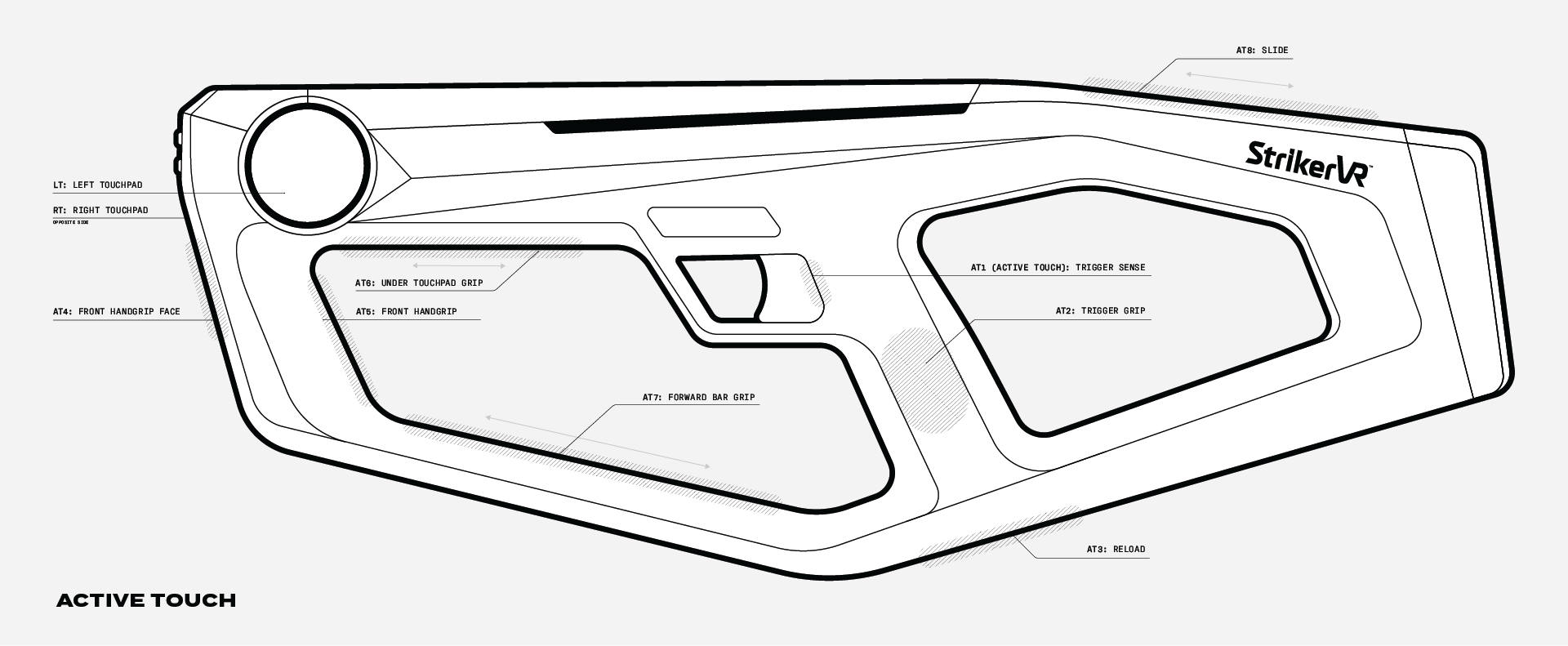
Active Touch Usage
About
- Capacitive areas are known as Active Touch.
- AT areas replace buttons and can withstand high-use.
- AT is activated with any touch, not just hand interaction.
- Manipulate in-game assets with Active Touch surfaces.
- Full-range touchpads for locomotion in room-scale experiences.
Recommendations
- Reload 01: Tap AT3 at bottom of grip.
- Reload 02: Utilize AT8 for shotgun or crossbow slide reload.
- Reload 03: Pump AT6 for supersoaker, pump shotgun, etc.
- Grab: Grab items using slide motion along AT7.
- Throw: Slide back to front on AT7 or AT8 to toss items such as grenades, traps, etc.
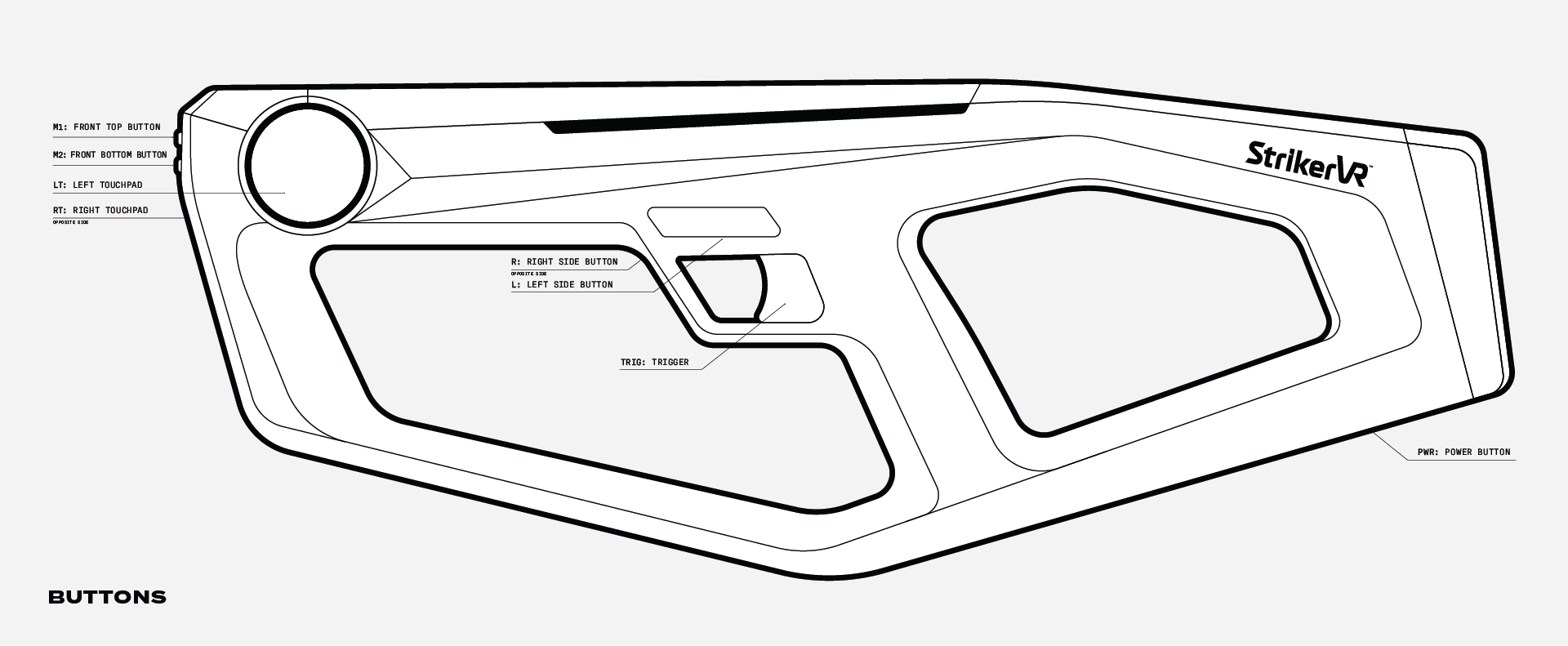
Button Usage
Recommendations
- L/R: Can be used to cycle weapon types. These buttons are not intended for high-use such as the trigger or Active Touch.
- TRIG: The trigger is a high-use button utilized for firing or activating a tool.
- M1/M2: These are menu buttons. These buttons are not intended for high-use such as the trigger or Active Touch.
- PWR: The power button does not require a hard push. Please do not use excessive force.
- Select: In freeroam, press and hold LT/RT to highlight and release to select items.
- Run: In room-scale, press and hold LT/RT to run.